
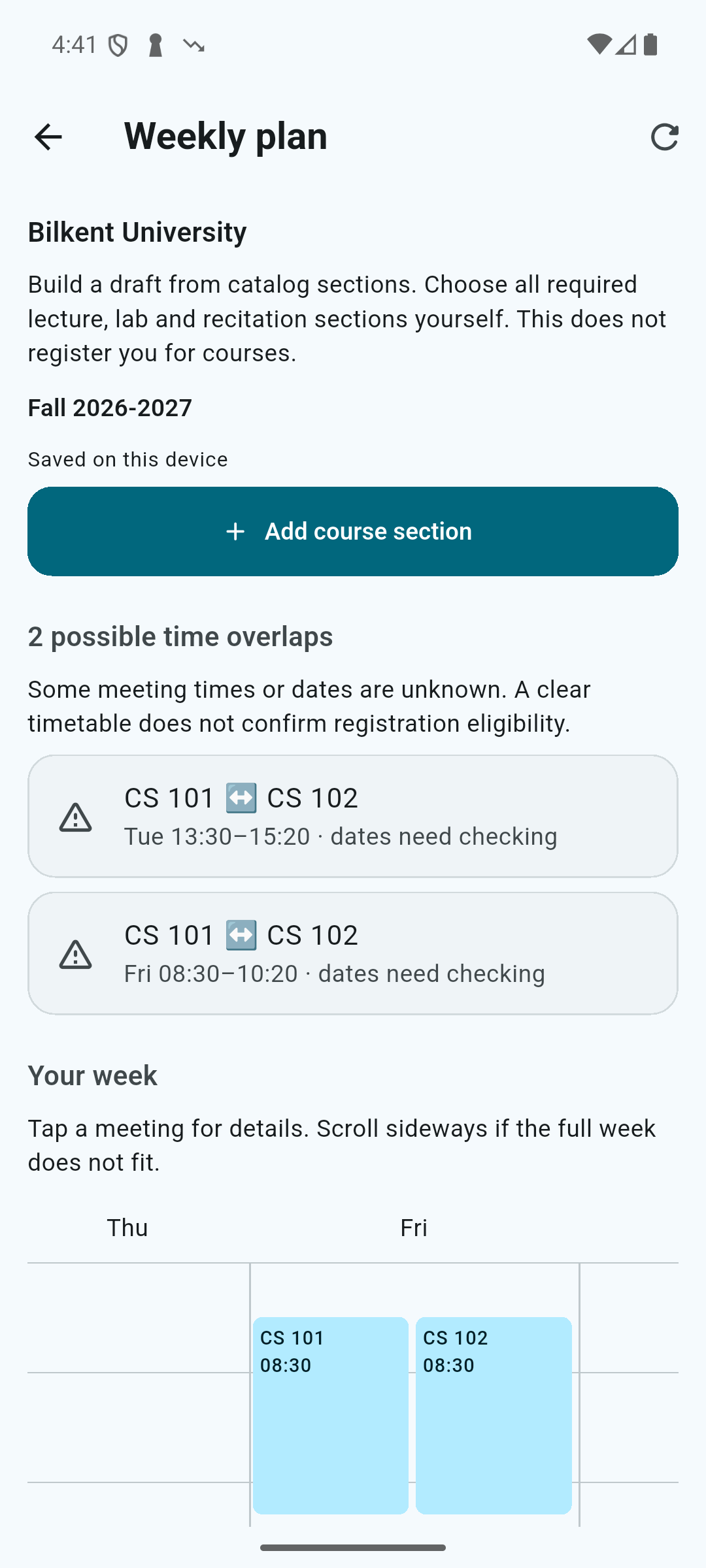
Compare sections alongside meeting times.
Select Bilkent and your term, then search by course code, title or instructor. Read the section number and its meetings together to choose the option that fits your week.
Read mandatory and elective pools separately.
Some Bilkent sections publish separate mandatory and elective seat pools. Where present, examine that distinction in course details and use the group relevant to your registration. Unlimited capacity is shown as unlimited rather than as a numerical open-seat count.
Try the choices in one weekly plan.
Add your chosen course sections to a weekly plan. Possible time conflicts show where another section may be worth considering. Manage seat-alert watches in the app, and use STARS / SRS for the latest registration information and registration itself.